

The best Linktree alternative depends on what your visitor needs to do next. Reroute fits a considered page connected to Forms, Audience, and Insights. Beacons suits creators who want a broad storefront and marketing toolkit. Kit is built around an email list, Carrd around a custom one-page website, Stan Store around selling, and Later around social scheduling.
Linktree remains a credible choice too. Its free plan includes email and phone collection, and its free analytics history is longer than Reroute’s. The useful comparison is how well each product completes your actual workflow.
Start with what the visitor should do
A link page, newsletter, storefront, and social scheduler are different purchases. Choose the action before comparing the software.
Reroute
Collect useful enquiries
Build a considered page, receive detailed responses, and see what visitors did.
Kit
Grow a newsletter
Collect subscribers and send email from the same product.
Beacons or Stan
Sell a digital offer
Choose between a percentage-based free store and a paid creator storefront.
Carrd or Later
Build or schedule
Pick a custom one-page website or a bio page inside a social publishing suite.
If everybody needs one checkout today, link there directly. A focused link-in-bio page is useful when visitors need context, a choice, or an on-page action.
Compare the strongest Linktree alternatives
Compare the first plan that completes your job, including any free-plan limit, sales fee, or annual commitment.
| Product | Best fitThe main job this product supports | Plan and tradeoffThe actual price or limitation to check |
|---|---|---|
| ReroutePage and audience workflow | Forms, Audience, and InsightsA considered page with connected visitor activity.Free available | Free includes 7-day InsightsPaid offers use external checkout links.US$12 / month |
| LinktreeEstablished creator platform | Broad creator toolkitEmail capture, available selling, and mobile apps.Free available | Longer free analytics historyAdvanced integrations and prices vary by plan.28 days free |
| BeaconsStore and marketing suite | Selling and creator toolsIncludes a bio page, media kit, and email marketing.Free store | US$10 Creator still charges 9%Creator Plus removes that fee at US$30 monthly.9% seller fee |
| KitNewsletter-first platform | Subscriber capture and emailUp to 10,000 free subscribers and unlimited sends.Free available | Paid starts at 1,000 subscribersFree includes a Kit-managed recommendation slot.US$39 / month |
| CarrdOne-page website builder | Flexible custom landing pageConnect your own email and reporting tools.Free available | Pro Standard adds formsThe US$9 Lite tier excludes forms and analytics.US$19 / year |
| Stan StoreCommerce-first storefront | Digital products and coursesBookings, selling, and lead magnets in one store.No free plan | 0% Stan platform feeEmail marketing requires US$99 Creator Pro.US$29 / month |
| LaterSocial scheduling platform | Social posts plus a bio pageConnect scheduled content to its destination.14-day trial | US$18.75 monthly equivalentThe advertised Starter price is billed yearly.US$225 / year |

Reroute: focused pages and audience follow-up
Reroute connects a considered page with detailed Forms, Audience, and Insights. Visitors can share an email, written answers, a date, a file, or audio. Their Response and Contact remain attached to the page that created them.
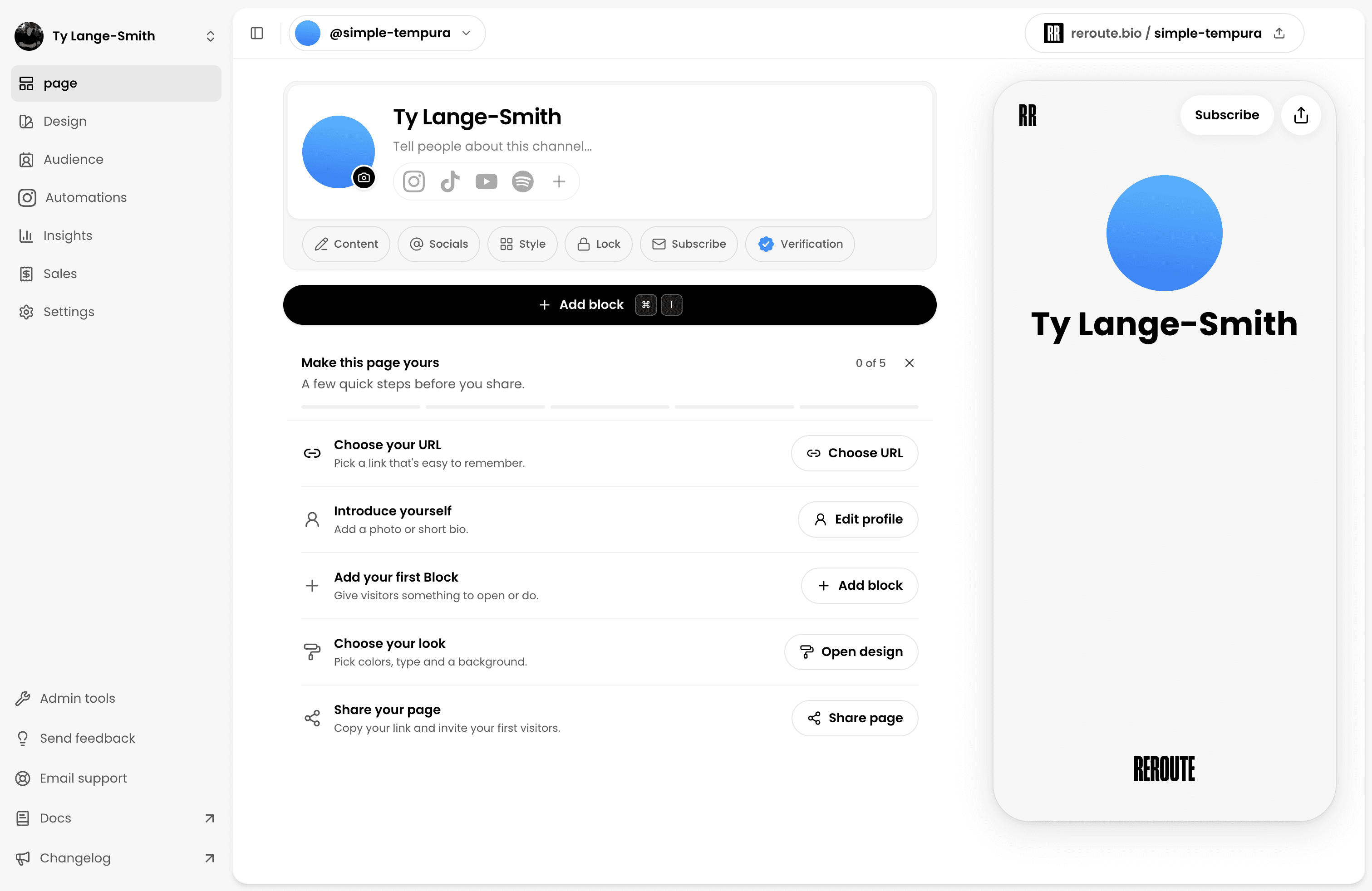
Free includes one page, unlimited capture, the newest 10 Responses, and 7 days of Insights. Creator costs US$12 monthly or US$120 yearly and adds full Audience history, CSV export, deeper reporting, and up to five pages.
Know the limit: Reroute does not send newsletters. Native paid checkout is not open to new sellers. Use a Link to your existing shop or checkout; accounts with existing Reroute orders retain their support tools. Public Instagram automation awaits Meta approval.
That makes it a strong fit for an illustrator taking commissions, a studio collecting workshop enquiries, or a consultant offering a useful download before someone books. It is a weaker fit when sending campaigns or completing paid checkout inside the product is your non-negotiable requirement.
Linktree: familiar and broadly capable
The baseline deserves a fair comparison. Linktree’s current pricing matrix includes email and phone collection on its free plan. Claims that you must upgrade simply to collect an email are outdated.
Its Insights documentation specifies 28 days of analytics on Free, compared with Reroute’s 7 days. Linktree also supports eligible selling, mobile apps, audience tools, and integrations.
Know the limit: Advanced audience reporting and subscriber CSV export are Pro or Premium features. Check capture, access, and integrations separately. The direct Linktree-versus-Reroute comparison covers that narrower decision.
Keeping Linktree can be the sensible decision. If your existing links, contact collection, mobile editing, and reporting already work, changing providers only creates another migration job.
Beacons: a creator store with extra tools
Beacons combines a bio page, storefront, media kit, email marketing, creator tools, and analytics. Its published plan comparison lists a free tier, Creator at US$10 monthly, and Creator Plus at US$30 monthly.
Free includes selling, a media kit, and 50 monthly email sends. Creator increases that allowance to 500 sends.
Know the limit: Both Free and Creator charge a 9% platform fee . Creator Plus removes it; payment processing remains separate.
The wider bundle helps when a media kit, creator store, and email sends are all genuinely useful. If you only need a clean page and client enquiries, the extra surfaces can make a straightforward workflow harder to maintain.
Kit: a newsletter you can actually send
Kit is the strongest fit here when the newsletter is the product or the main relationship you are trying to build. Its free Newsletter plan includes up to 10,000 active subscribers, unlimited forms and landing pages, unlimited email sends, one basic automation, and one email sequence.
The free plan includes one Kit-managed recommendation slot. Kit keeps any paid-recommendation earnings from it. Paid Creator starts at US$39 monthly for 1,000 subscribers.
Know the limit: Kit’s pricing page also shows 1,000 subscribers on its free card, despite its dedicated help article specifying 10,000. Verify the entitlement during signup.
Kit is a better answer than a general bio page when the whole purpose of the profile link is joining a newsletter. It becomes less natural when your page needs several distinct projects, detailed enquiries, or rich supporting media.
Carrd: an inexpensive custom website
Carrd suits creators who want a distinctive one-page website and are happy to connect their own email and analytics tools.
Its Pro plan comparison lists Pro Lite at US$9 per year and Pro Standard at US$19 per year. The distinction matters: custom domains, forms, widgets, embeds, and analytics begin on Pro Standard, not the cheaper Lite tier.
Know the limit: Signup forms can connect to services including Kit and Mailchimp, but your contacts and analytics remain in the separate products you connect.
That flexibility can be worth the setup for a designer who already has an email platform and understands the connections. Include the cost of your domain and any separate newsletter or analytics subscription when comparing the apparently low annual price.
Stan Store: selling products, courses, and bookings
Stan is a commerce-first choice for digital products, courses, bookings, memberships, and related offers. Its current plan documentation lists Creator at US$29 monthly and Creator Pro at US$99 monthly. There are two distinct plans with different marketing capabilities.
Creator includes booking, course tools, lead magnets, email capture, and Instagram auto-replies. Email broadcasts, flows, and advanced tracking require Creator Pro.
Know the limit: Stan documents a 0% platform transaction fee , but Stripe or PayPal processing still applies. There is no permanent free plan.
A creator already selling a course, coaching package, or digital download may recover the subscription quickly. For someone validating a first offer with no sales yet, the fixed charge starts before the business outcome is proven.
Later: social scheduling with a bio page
Later includes a bio page inside a social media management product. Its current pricing and feature matrix includes scheduled posts, post and page analytics, linked Instagram and TikTok content, email collection, and a Mailchimp connection.
Starter is displayed as US$18.75 monthly billed yearly, a US$225 annual commitment. Its bio page makes most sense when you already need the social publishing suite.
Know the limit: Later offers a 14-day trial, not a permanent free plan.
Later is attractive when you already plan, schedule, and measure content across several social platforms. If the only missing feature is a profile page, the larger publishing subscription is usually a different purchase from the one you actually need.
Compare the whole workflow, not the button list
The practical difference appears after someone takes the first action. Run these four checks against your shortlist before creating an account.
- What does the visitor actually complete? An outbound click, an email signup, a client enquiry, and a paid order are separate outcomes. Identify which product records the event you care about.
- Where does their information go? Check whether a submitted email appears in an audience inbox, feeds a newsletter, or stays inside another service. Capturing a contact and being able to export it are different entitlements.
- What happens on the free plan? Compare visible audience history, analytics windows, seller fees, and feature gates. A free trial ends; a free selling plan can still charge a percentage of every order.
- What would you have to connect? A custom page may need a separate email service, analytics tool, scheduler, or checkout. Those tools can be a good fit, but their cost and setup belong in the comparison.
A consultant who receives one detailed enquiry each week has a different buying decision from a writer sending weekly emails or a creator selling a US$25 guide. Compare products using the same realistic visitor journey instead of awarding points for features that will never be used.
Follow the visitor beyond the click
A page view, an opened link, a submitted Form, and a known Contact are different events. A good tool choice depends on which one you need to inspect or act on.
Profile visit
Someone finds the page through a social profile or campaign.
Page visit
The page records an anonymous visit and available source information.
Page action
The visitor opens a link, downloads a resource, or submits a Form.
Audience record
A shared email can create a Contact and an associated Response.
For example, a ceramics studio can offer a workshop guide above its booking link. When someone shares their email, the studio sees the Response, Contact, and page activity together.
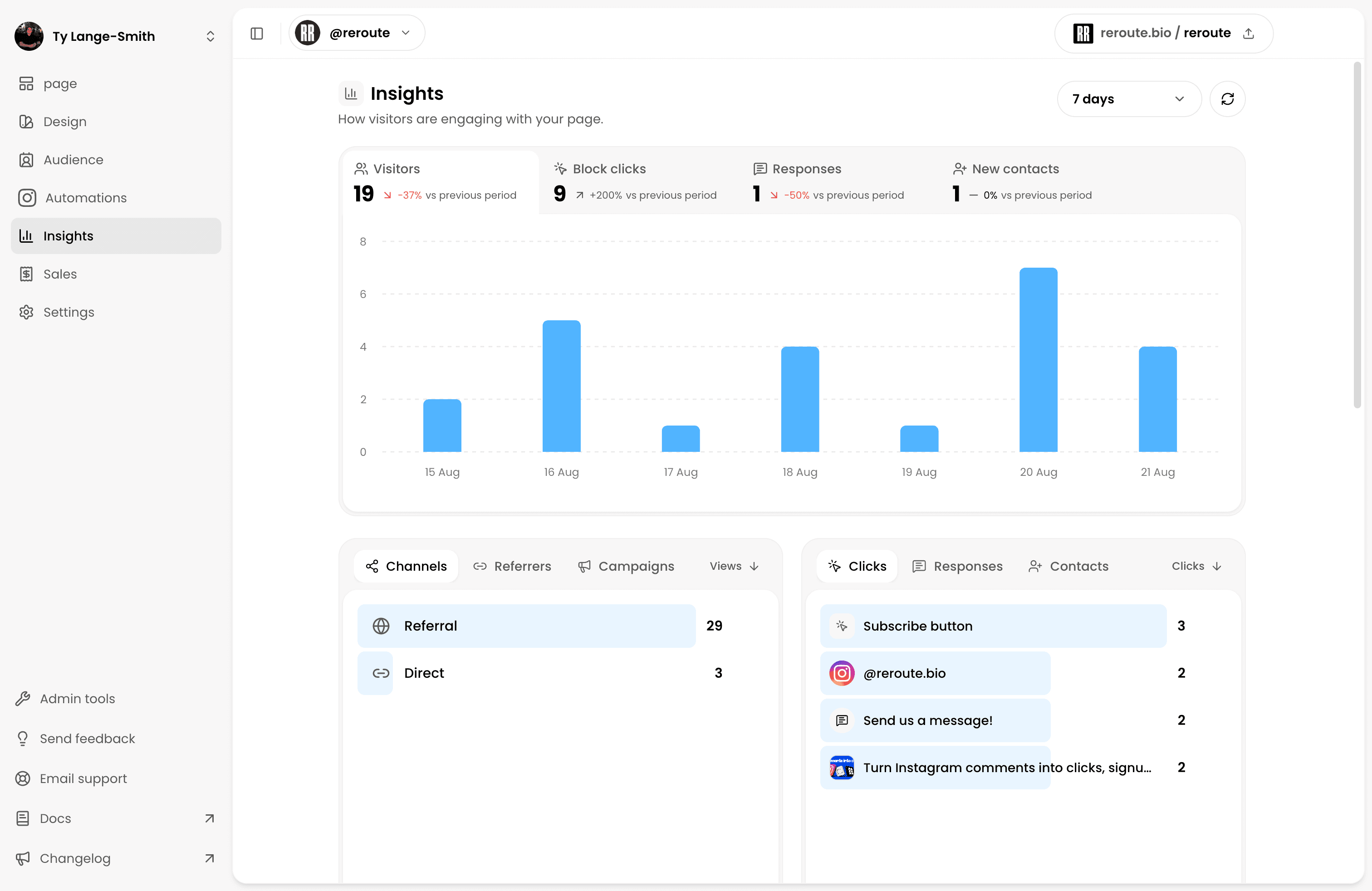
An anonymous click does not reveal a social identity. A Contact exists only after someone shares their details, and marketing messages require the right consent. Audience documentation explains the boundary. External bookings and purchases must be confirmed in their own service.
Pay attention to the report labels. A page view records an opened page, a click records a selected route, and a Form Response records a submitted action. Comparing platforms is more useful when both reports answer the same question over the same period. The Instagram bio-link analytics guide explains each measurement in depth.
Calculate seller fees before comparing subscriptions
A free storefront becomes more expensive as sales grow when the platform takes a percentage of each order.
At US$500 in monthly sales, the same revenue produces very different platform charges.
| Selling plan | Subscription and feeCharges before payment processing | At US$500 in salesTotal monthly platform cost |
|---|---|---|
| Beacons Free | US$0 subscriptionThe platform takes US$45 from US$500 in sales.9% seller fee | US$45 totalThe fee rises as monthly revenue grows.Variable cost |
| Beacons Creator | US$10 subscriptionThe same US$45 seller fee still applies.9% seller fee | US$55 totalPaying for Creator does not remove the seller fee.Variable cost |
| Beacons Creator Plus | US$30 subscriptionNo additional Beacons platform fee.0% seller fee | US$30 totalLess than Beacons Free at this sales volume.Fixed cost |
| Stan Creator | US$29 subscriptionStan documents no added platform transaction fee.0% platform fee | US$29 totalProcessor fees remain separate on every product.Fixed cost |
Beacons Free and Creator Plus break even at approximately US$333.33 in monthly sales. The US$10 Creator plan and Creator Plus break even at US$222.22. Stan’s US$29 subscription beats a 9% fee above US$322.22.
Reroute routes paid offers to external sales tools, so it is excluded from this native storefront comparison. It does not charge a transaction fee on purchases through external links. Its sales-links guide covers Amazon, Gumroad, Stripe Payment Links, and other destinations.
Test the complete route before switching
Build the hardest step first. Submit the Form, send the test email, open the checkout, and confirm which plan unlocks the result. Keep your old page live while updating profile links, saved messages, and QR codes.
Check the page on your actual phone before publishing it. The first action should match the post, profile, or recommendation that brought the visitor there, and every important destination should open without unnecessary steps.
Our Instagram setup guide and TikTok setup guide explain where to update the public link.
Frequently asked questions
Build the workflow your visitor actually needs
If your useful outcome is a considered page with connected Forms, Audience, and Insights, build it and submit one real test Response before sharing it.
Build your free page